Installation Guide
Seeing a Windows SmartScreen warning? Don't worry, here is how to safely install ZapLock.
Why am I seeing a warning?
ZapLock is a new application and hasn't explicitly purchased a costly "Code Signing Certificate" from Microsoft yet. Windows SmartScreen flags all new, unsigned applications by default to be safe.ZapLock is 100% safe and virus-free.
1
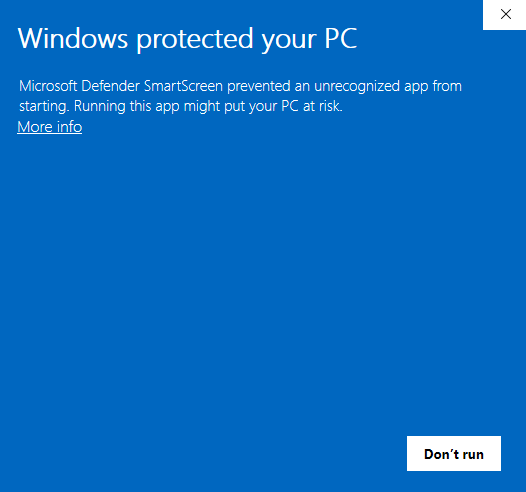
"Windows protected your PC"
When you run the installer, you might see a blue window preventing the app from starting. This is normal for new apps.
Click on the More info link.
2
Run the Application
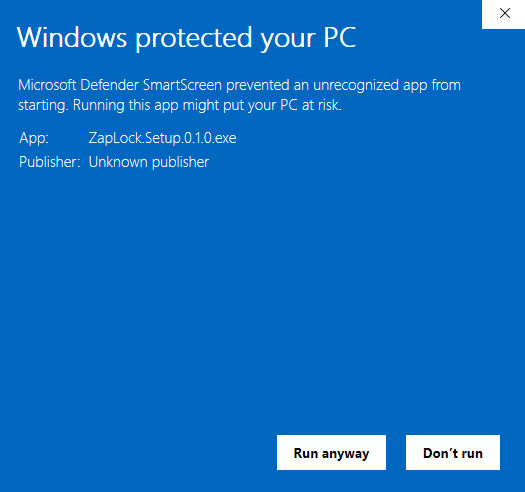
After clicking "More info", a new button will appear at the bottom.
Click the Run anyway button to start the installation.